
Shorts go through the same steps as long videos (Brief, Research, Outline and Write), shaped for a short vertical video. You choose the format when you start the script.
Pick the Short format
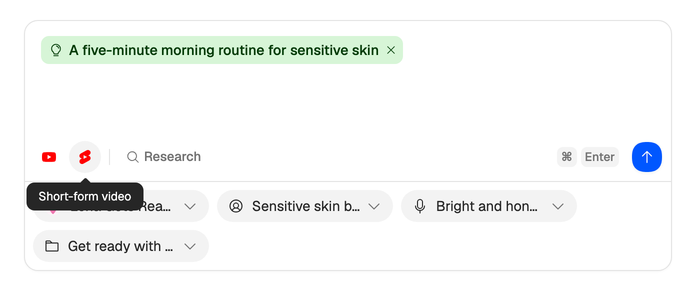
On What are we writing today?, choose the second of the two icons at the start of the bar under the prompt: Short-form video. Hover either icon to see its name.
If you use a template, pick one built for Shorts. The Template picker lists all your templates, long ones included, and the outline follows whichever you pick. 31 of the 70 templates in the library are for Shorts: open Templates under DNA and filter the library by Short to add them. See Templates: library, import or build.
If you told channel setup you make short videos, your starter templates are already Shorts templates. If you said both, they’re a mix.
How a Short is shaped
- Without a template, the outline has one to three sections instead of four to eight.
- It always includes a hook. A call to action is optional, where a long video always gets one.
- The pace follows your voice’s speaking speed, as it does for a long video. Only a script written without a voice is paced 10 words per minute faster as a Short.
Everything else works as it does for long videos: you approve the brief, keep the sources you trust and edit the outline before the draft is written.
Record it on your phone
Most Shorts are filmed on a phone. Open the script’s share link from the editor, turn on Allow teleprompter, and scan the QR code with your phone to read from it there. See Share a script or idea and Read from the teleprompter.