
When the script is ready, read it from the teleprompter. It scrolls the script on a dark screen at the speed you set, with a line across the middle to read from, so you can look at the camera instead of your notes.
Open it
Open the script and choose Teleprompter in the editor’s top bar. It opens paused.
- Press Space, tap the text or press the round button at the bottom right to play or pause.
- Choose Exit at the top right, or press Esc, to close it.
Read on your phone
To read on another device, such as a phone under your camera, share the script with Allow teleprompter turned on and scan the QR code. The page it opens has a Teleprompter button. See Share a script or idea.
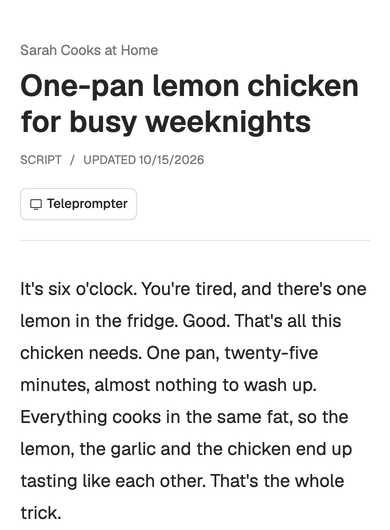
Settings
Choose Settings at the top right to open Display settings. Each change shows on the text straight away.
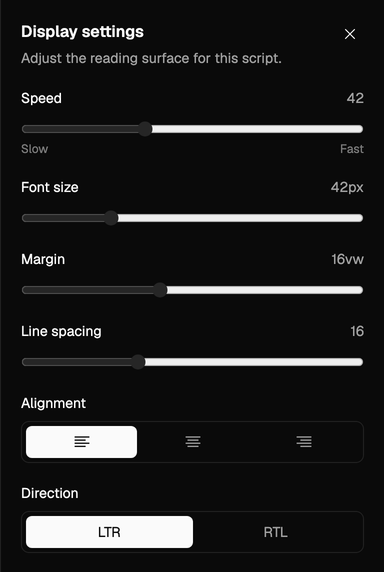
| Setting | Range | Starts at |
|---|---|---|
| Speed | 10 to 100, from slow to fast | 42 |
| Font size | 24 to 96 px | 42 px |
| Margin | 8 to 28, the space on each side as a share of the screen’s width | 16 |
| Line spacing | 12 to 24 | 16 |
| Alignment | Left, center or right | Left |
| Direction | LTR or RTL | LTR |
Below them, Show grid draws a grid of thirds over the screen, and Show indicator (on to start) draws the reading line in the Indicator color you pick: violet, cyan, green, amber or rose. While the panel is open, Space doesn’t play, and Esc closes the panel first.
Start with a slower speed than you think you need, and raise it after a take or two. A larger font with wider margins keeps your eyes closer to the lens.
Saved for you
Your settings are saved to your account, not to the script, so every script opens the way you left the last one, in every workspace. Everyone in your workspace keeps their own. On a shared page, the teleprompter starts from the standard settings each time and doesn’t keep changes.
Right-to-left scripts. Set Direction to RTL for languages written right to left.