
Channel setup reads your YouTube channel once and drafts your Creator DNA from it: a profile, a voice and a few starter templates. Every script you write later can start from those. Setup is free, it costs no credits, and you never connect your YouTube account. It only reads what’s public.
Start setup
You add your channel on the Basic info step of your first login, by pasting its URL or @handle (see Your first login). If you skipped that, open Channels under DNA in the sidebar and choose Add Channel (see Add or edit a channel). Only YouTube channels can be added, and only the workspace owner can add one.
Either way, you answer two questions:
- What language do you make videos in? Leave it on Detect from my videos to let setup work it out, or pick the language yourself.
- What do you make? Long videos, Short videos or Both. Setup picks starter templates for the format you choose.
What it reads
Setup works through four steps, and the page shows each one as it runs:
- Detecting language & category. It reads your channel’s details and your latest videos, and watches up to five of them: your three most recent and two of your most viewed. It only watches videos between a minute and a half and 45 minutes long, so Shorts are left out.
- Reading your videos. It reads the transcripts of up to eight recent videos. That’s where most of your voice comes from: how fast you talk, how long your sentences run and the phrases you come back to.
- Generating profile, voice & templates. It drafts one profile, one voice and up to five starter templates from the template library, matched to what you make.
- Finding competitors. It suggests similar channels, checks which ones really share your audience and saves up to five.
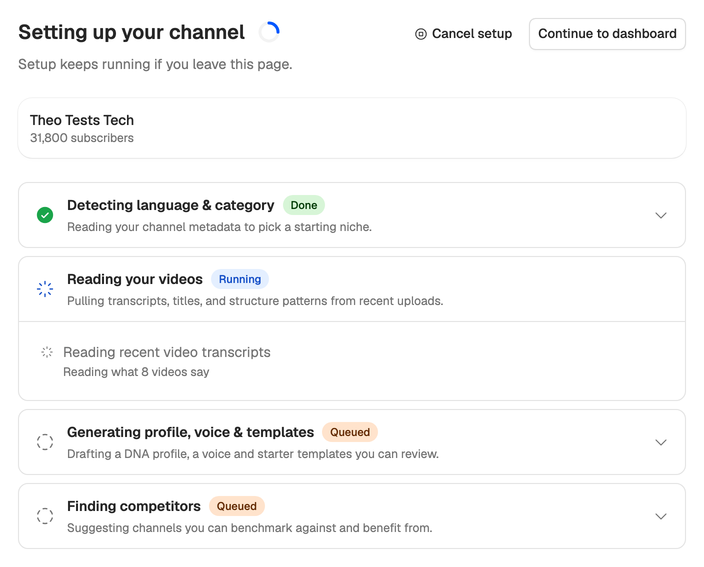
Setup keeps running if you leave the page. Choose Continue to dashboard and carry on, and the bell at the bottom of the sidebar tells you when it’s done. To come back to the page while it runs, choose View setup on the channel’s card. Cancel setup stops it, and whatever it already saved stays.
What you get
When the third step is done, its panel lists the profile, the voice and the starter templates it drafted, each with Review & edit.
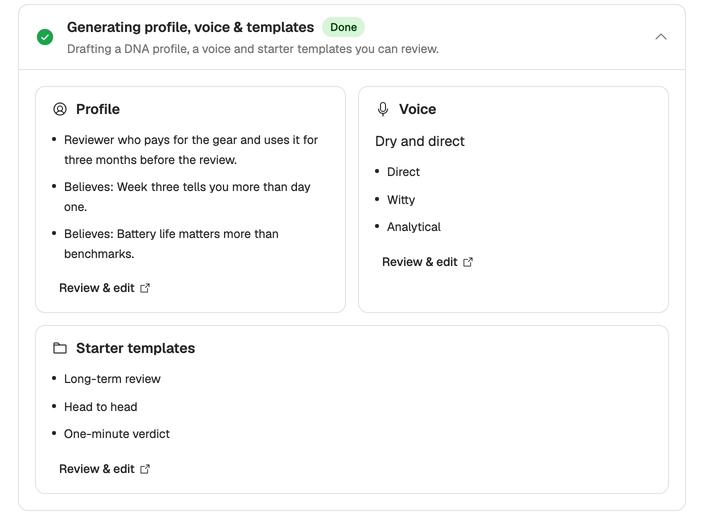
Read them before your first script. They’re drafts, and a few minutes of edits pay off in every script after. You’ll find them later under Profiles, Voices and Templates in the sidebar.
When every step has finished, choose Write your first script at the bottom of the page.
If a step stops
A step can fail when YouTube or one of the services setup relies on doesn’t answer in time. The step turns red with a message and two choices:
- Retry runs setup again from that step. It’s free.
- Skip setup ends setup with what it has drafted so far. On the last step the choice reads Finish without competitors.
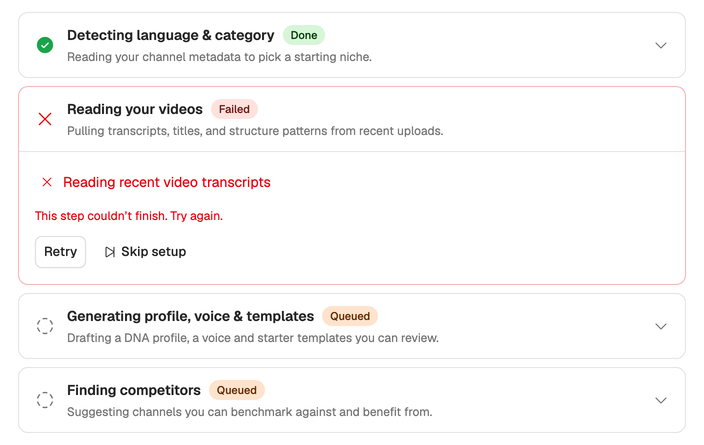
If your videos have no transcripts, setup drafts your profile from your titles, descriptions and channel details instead. If it couldn’t watch any of your videos either, the voice stays empty. You can learn a voice from any public video or write it yourself. More fixes are in Channel setup problems.
No channel yet? You can still use Neveshte. See Use Neveshte without a channel.