
Your profile tells Neveshte who is talking and who they’re talking to: your credibility, your audience, what you believe and how you make a point. Every script written with a profile follows it, and one of the writing passes, Checking the profile, checks the draft against it. Channel setup drafts your first profile, and you can edit it at any time.
The fields
Open Profiles under DNA and select a profile’s name to open Edit profile.
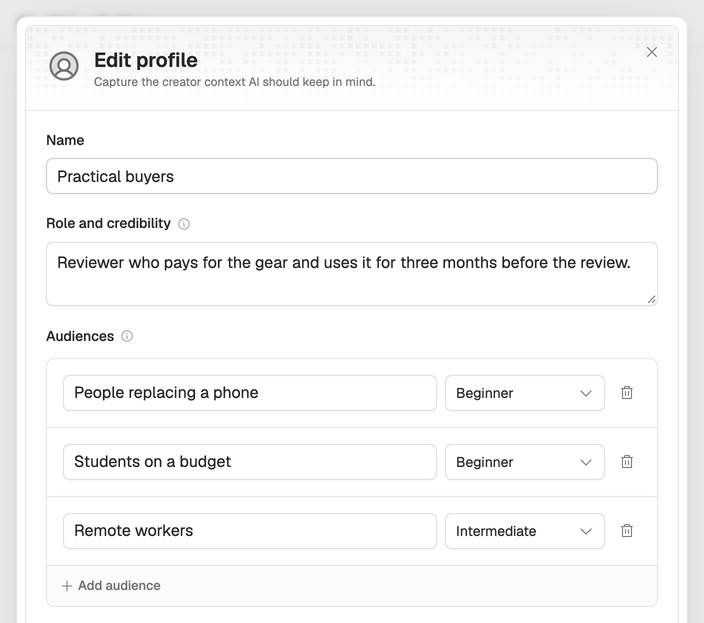
- Name. For you, to tell profiles apart (required, up to 40 characters).
- Role and credibility. Who you are and why viewers listen to you (up to 500 characters). It’s also the description on the profile’s card.
- Audiences. One to three, each with a label and a level: Mixed, Beginner, Intermediate or Advanced. The level decides what gets explained and what gets skipped.
- Beliefs. Up to six positions, each marked Holds or Rejects, so drafts stay on your side of them.
- Primary goal and Secondary goal. Educate, Inform, Persuade, Provoke thought, Entertain or Reflect.
- Stance. Neutral, Balanced, Opinionated or Contrarian.
- How you make your point. Pick every one that sounds like you: Explains, Asks questions, Challenges assumptions, Shares personal experience, Uses examples or Tells stories.
- Extra instructions. Anything else the writing should always remember (up to 500 characters).
Choose Save Changes when you’re done. The more specific these are, the less generic your drafts sound: “Beginners who just bought their first camera” beats “photography fans”.
Only the workspace owner can change profiles. Members can open them to read.
More than one profile
You can keep several profiles in a workspace and pick one for each script. That helps when one channel has two kinds of videos (say, tutorials and opinion pieces) or when you write for more than one channel.
To start a variant, open a profile card’s three-dot menu, choose Duplicate and change what differs. You can also choose New profile to start from scratch, Import profile to learn one from a public video for 5 credits (see Learn from any public video), or Delete one you no longer use.