
Neveshte is invite-only for now. You get in with an invite from the waitlist, or with an invitation to someone else’s workspace. Your first login takes a couple of minutes, and if you add your channel, it ends with setup reading it in the background.
Create your account
Open your invite email and choose Create Account. Then choose Sign up with Google, or enter the address the invite was sent to and a password. If you sign up with email, we send a 6-digit code to confirm the address. See Sign in and verify your email.
Set up your workspace
Onboarding has four steps, listed down the left of the screen: Basic info, Make it yours, About you and You’re in.
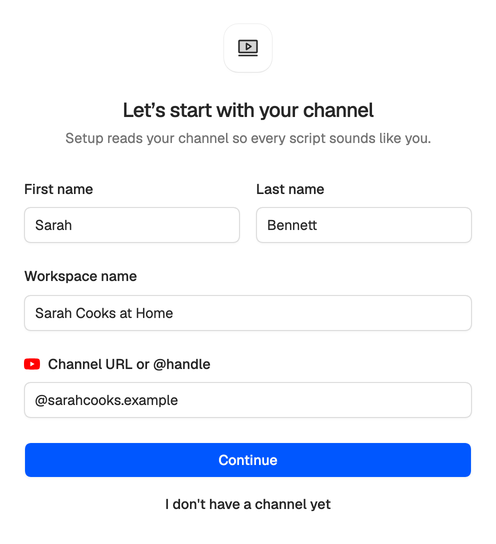
Basic info asks for your first and last name, a name for your workspace and your YouTube channel’s URL or @handle. The workspace name starts as your first name’s workspace (“Sarah’s Workspace”), and you can rename it here or later in workspace settings. Choose Continue and Neveshte looks the channel up. Only YouTube channels work. No channel yet? Choose I don’t have a channel yet to go straight to About you.
Make it yours comes only if you added a channel. It shows the channel it found, with its subscriber count, so you can check it’s yours (if not, choose Back and fix the handle). Then it asks two things setup uses straight away:
- The language you make videos in. Leave Detect from my videos, or pick English, Spanish, German, French, Portuguese, Turkish, Arabic or Persian.
- What you make: Long videos, Short videos or Both.
About you asks three optional questions: how you heard about Neveshte, who works on your videos and how much of your work is creating. Choose Skip to leave them, or answer any of them and choose Continue.
Your trial starts
The last step, You’re in, confirms your 14-day trial of the Creator plan: 100 credits, no card needed. It shows the day the trial ends, counted from when you created your account, and the day the app will remind you, 3 days before. See How the trial works.
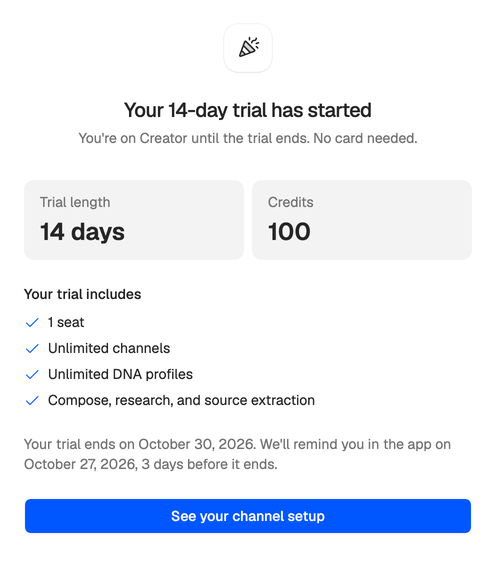
If you added a channel, See your channel setup takes you to setup, which reads your videos and drafts your Creator DNA. It keeps running if you leave the page. See Set up your channel.
Without a channel, Go to your dashboard takes you straight in. Either way, the Getting started checklist in the sidebar shows what to do next.
Joining someone’s workspace
If a workspace owner invited you, open their invitation email and choose View Invitation, then Create account to join. Your address is already filled in, and there’s no code to enter, because the invitation already proves it’s yours. Unless Google gave us your name, the next screen asks for it (What should we call you?). Then you’re in their workspace, with no onboarding to go through.
Neveshte also gives you a workspace of your own. Switch to it whenever you want to set it up, and it takes you through the steps above.
Seeing “This workspace isn’t ready yet”? Its owner is still finishing their own onboarding. You can work in it once they’re done.