
Neveshte is invite-only for now. You can create an account once you’re invited from the waitlist, or when someone invites you to their workspace. After that, you sign in with your email and a password, or with Google.
Create your account
Open your invite and follow its button. The waitlist’s email, “Your Neveshte invitation is ready”, has Create Account. A workspace invitation has View Invitation, then Create account to join. Either way, you land on Start your 14-day trial.
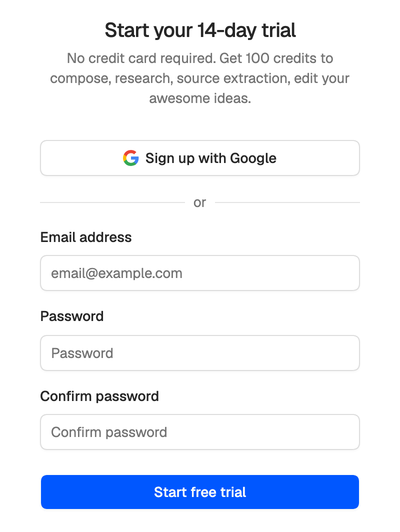
- Sign up with Google uses your Google account, with no password to remember.
- Or enter your email address and a password of at least 8 characters, type the password again under Confirm password, and choose Start free trial.
Use the address your invite was sent to. Any other gets “This email has not been invited yet.” From a workspace invitation, the address is filled in for you.
No invite yet? Join the waitlist. We invite creators in small batches, and your invite goes to the email you confirm.
Verify your email
When you sign up with an email and a password, we send a 6-digit code to that address and ask for it on Check your email. Signing up with Google, or from a workspace invitation, skips this step, because the address is already proven.
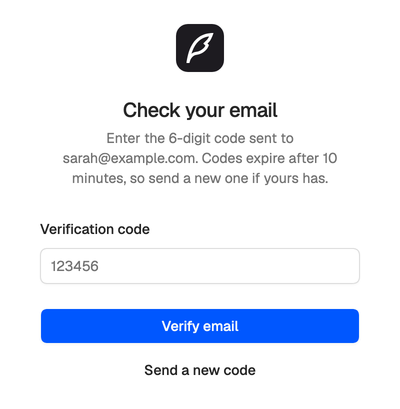
- Enter the code (it’s also in the email’s subject line) and choose Verify email. Codes expire after 10 minutes.
- Choose Send a new code if yours expired or never arrived. Each new code replaces the one before, so use the newest email. You can send one a minute, up to 6 an hour.
- After 5 wrong tries, the code stops working. Send a new one and try again.
- Nothing arrived after a few minutes? Check your spam folder.
Once you’re verified, your first login walks you through a short setup: your name, your workspace and your channel. See Your first login.
Sign in
Go to app.neveshte.com and sign in the way you signed up: Continue with Google, or your email address and password, then Log in. Tick Remember me to stay signed in on that browser. Google keeps you signed in either way.
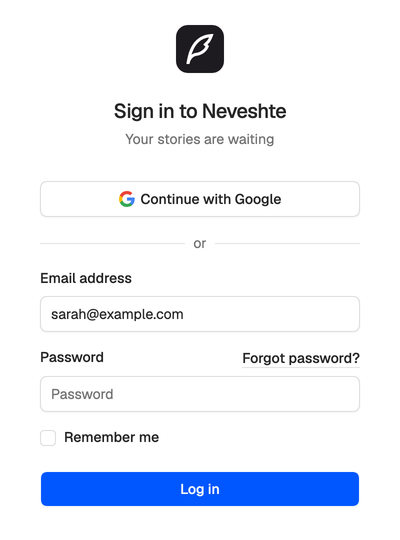
- Signed up with email? Continue with Google works too, with a Google account on the same address, once your email is verified.
- After 5 failed tries in a minute, the page asks you to wait before trying again.
Forgot your password
Choose Forgot password? on the sign-in page, enter your email address and choose Email password reset link. The link works for 60 minutes and lets you set a new password.
If you signed up with Google, you have no password, so use Continue with Google. To add one, use the same reset link, or Set password in your account settings. See Profile, password and devices.
Still can’t get in? Email support@neveshte.com with the address you were invited with.