
Workspace settings hold what belongs to the workspace rather than to you: its name and avatar, its tags, its members and its billing. Only the owner can open them, from Workspace settings in the menu under your name in the sidebar.
General
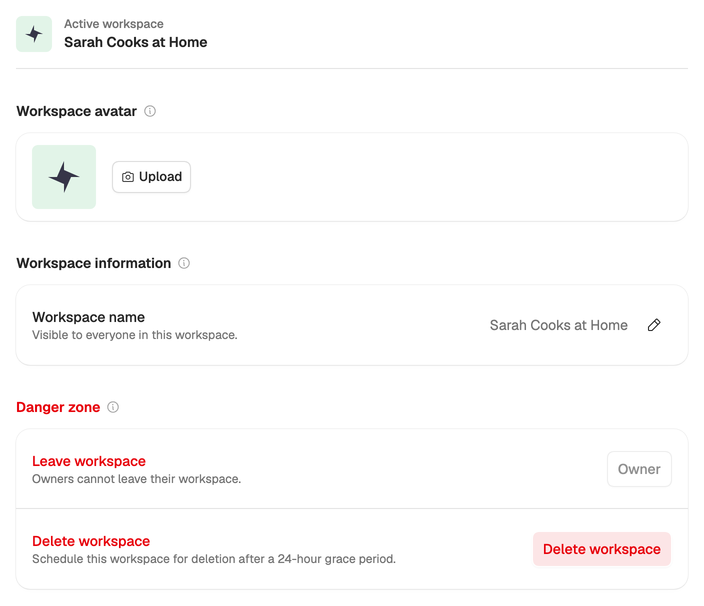
General opens first. Choose Upload to give the workspace an avatar (a JPEG, PNG, GIF or WebP image up to 5 MB), or the pencil next to Workspace name to rename it. The name shows in the menu under everyone’s name, so make it easy to tell apart.
The other pages, Members, Billing, Invoices and Usage, have guides of their own: Invite your team, Choose a plan and Invoices and usage.
Tags
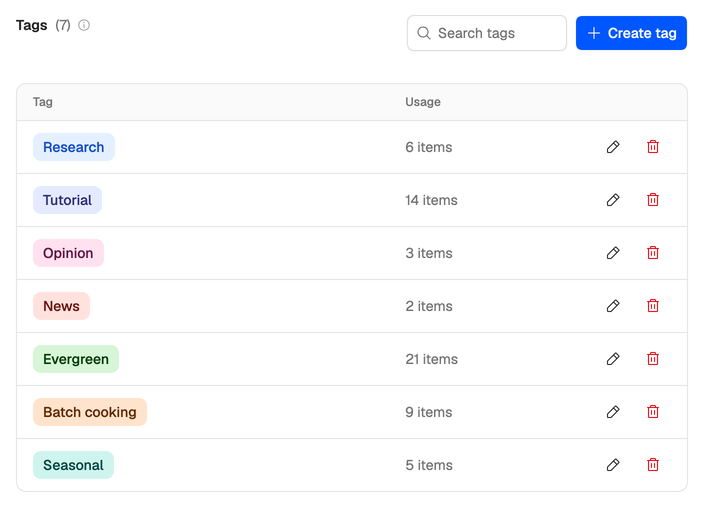
Tags group your ideas and scripts, and the ideas list can be filtered by them. Every workspace starts with five: Research, Tutorial, Opinion, News and Evergreen.
Open Tags to add one with Create tag, or to rename or delete one from its row. Each tag has a name of up to 50 characters, unique in the workspace, and a color. Usage shows how many ideas and scripts carry it.
Delete a workspace
You can delete a workspace you own as long as you belong to another one. Your only workspace can’t be deleted, so Delete workspace doesn’t appear until you have a second.
- If the workspace has a plan, cancel it first and wait for the paid period to end. Until it has ended, the deletion doesn’t go through. See Change or cancel your plan.
- In General, choose Delete workspace.
- Type the workspace’s name to confirm, then choose Delete workspace.
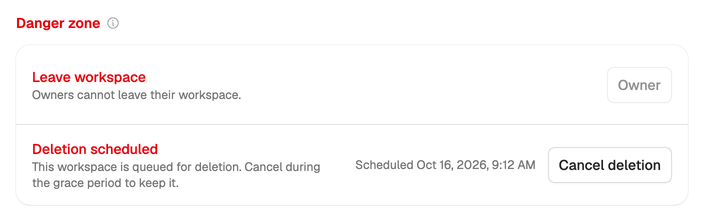
Neveshte moves you to another workspace and schedules the deletion with a 24-hour grace period. Everyone in the workspace gets an email. To keep it, switch back to it during that time, open General and choose Cancel deletion.
Once the 24 hours are up, the workspace and everything in it are deleted at the next daily cleanup.
Deleting your account instead? Every workspace you own has to be handed over or deleted first. See Delete your account.