
When you’re short on ideas, Neveshte can suggest some. Generate drafts ideas from what channel setup learned about your channels. Extract pulls ideas out of a public YouTube video you link to. Both sit at the top of the Ideas page, beside New.

Generated ideas wait on the Suggestions tab until you add them to your list. Extracted ones wait in the video’s source until you save them.
Generate ideas
- Open Ideas and choose Generate.
- The Suggestions tab opens with Generating ideas at the top. You can keep working, here or anywhere else in the app.
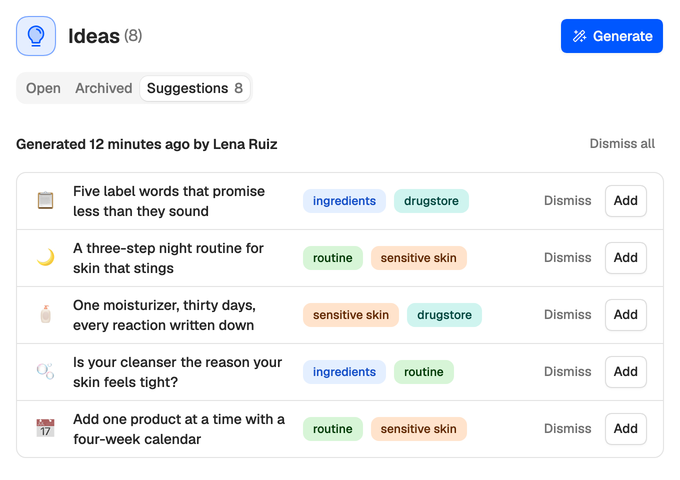
- When the run finishes, up to five suggestions appear under a heading that says when it ran and who started it, such as Generated 12 minutes ago by Lena Ruiz.
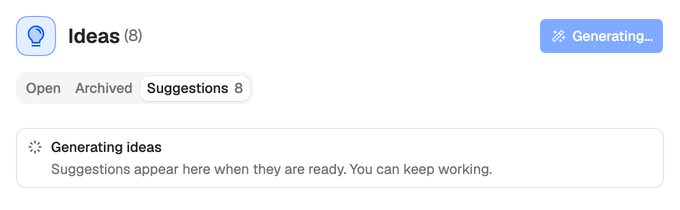
A run costs 2 credits. A workspace runs one at a time, so choosing Generate while one is going opens that run instead of paying for another.
The ideas are drawn from the context channel setup writes for each of your channels, so they get much better once setup has run. Neveshte also passes along the titles you already have and the suggestions you’ve dismissed, and drops any suggestion that repeats one. Each suggestion gets up to four of your existing tags. It never creates new tags.
If a run fails, Ideas could not be generated says why and that No credits were used. When every idea that came back is already in Ideas, or none came back, choose Generate to try again.
Review suggestions
Each suggestion shows its emoji, title and tags, with Dismiss and Add at the end of the row. The newest run is on top.
Choose a title to open the whole suggestion. It reads like a short brief: Hook, Angle, Who it’s for, Why it works, Key points, Format, Alternative titles, Watch out for and Tags.
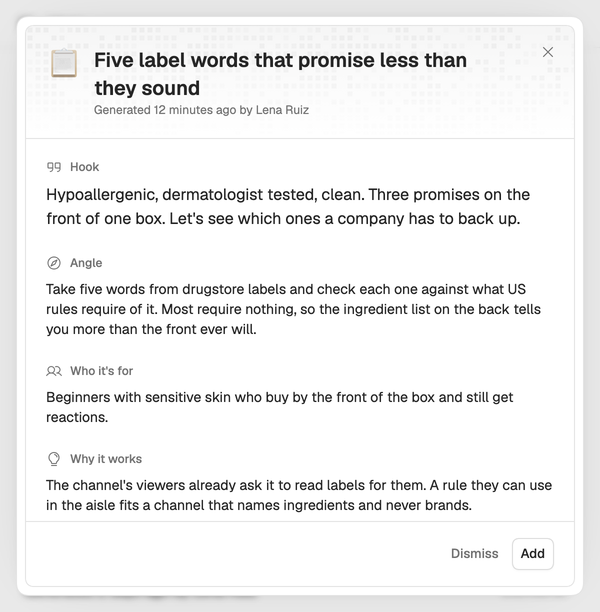
- Add turns it into an idea on the Open tab, marked New, with its emoji and tags. Each section of the brief becomes a heading in the idea’s notes, with the key points and alternative titles as lists. The idea shows Generated as its Origin in its Details panel.
- Dismiss removes it. Later runs are told to avoid its title, so it won’t come straight back.
- Dismiss all, beside a run’s heading, dismisses everything still waiting from that run.
Suggestions belong to the workspace, so everyone on your team sees the same ones, and any Member or Owner can add or dismiss them. A suggestion nobody adds or dismisses leaves the tab after 14 days.
Extract ideas from a video
- Open Ideas and choose Extract.
- Paste a link to a public YouTube video or Short (30 minutes or shorter) and choose Import ideas.
- When Idea candidates are ready. appears, open the video under Sources in DNA, select the Idea candidates you want and choose Save selected.
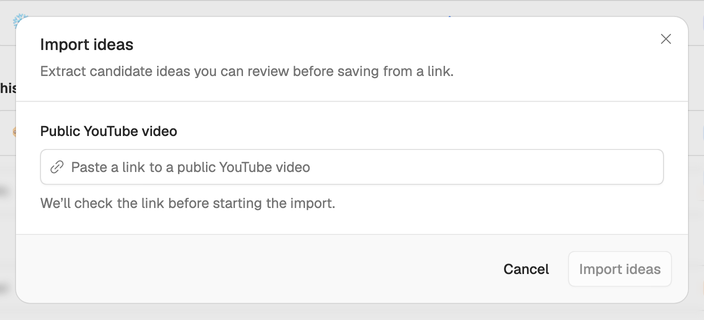
It costs 5 credits. The same import, and imports of a profile, a voice or a template, are available from Sources under DNA. See Learn from any public video.
Make them yours
Treat what you add as a first draft. Open the ideas you keep, rewrite the angle and notes in your own words, and set a status and urgency so they’re easy to find later. See Status, urgency and tags. When one’s ready, turn it into a script.