
If you run low before your plan credits reset, you can buy a top-up. A top-up adds credits to the workspace without changing your plan.
The packs
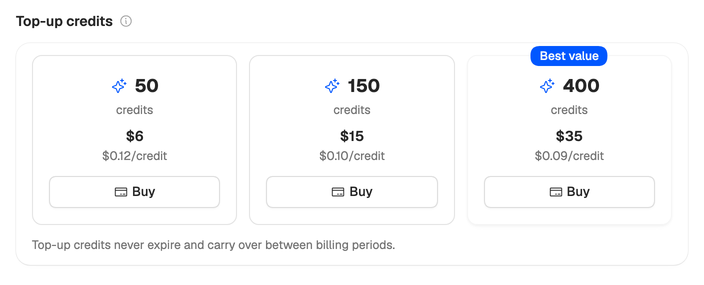
| Pack | Price | Per credit |
|---|---|---|
| 50 credits | $6 | $0.12 |
| 150 credits | $15 | $0.10 |
| 400 credits | $35 | $0.09 |
A researched script costs 17 credits, so 150 credits covers about eight more.
How to buy
Only the workspace owner can buy top-ups. If you’re a member, ask the owner.
- Open Billing in your workspace settings. Buy credits in the menu under your name takes you to the same place.
- Under Top-up credits, choose Buy on a pack.
- Pay at checkout.
Back on Billing, the credits appear as soon as the payment is processed.
How they work with your plan
- They’re for paid plans. Top-ups aren’t available during the trial, so if you run out of trial credits, pick a plan instead. See How the trial works. They’re also paused while a failed payment is being retried.
- Plan credits go first. The app spends your monthly plan credits before it touches top-up credits.
- They never expire. When your plan credits reset each month, your top-up credits are kept. If your plan ends, they stay with the workspace for when you pick a plan again.
If you top up most months, Team may cost less: $69 a month for 1,000 shared credits. See Choose a plan.
What do credits pay for? See How credits work for the cost of each step.